Neurosky Brainwave Visualizer
By ericblue Categories: Uncategorized Art Featured Interesting Mind Hacks Personal Informatics Quantified Self Technology Visualization | 19 comments
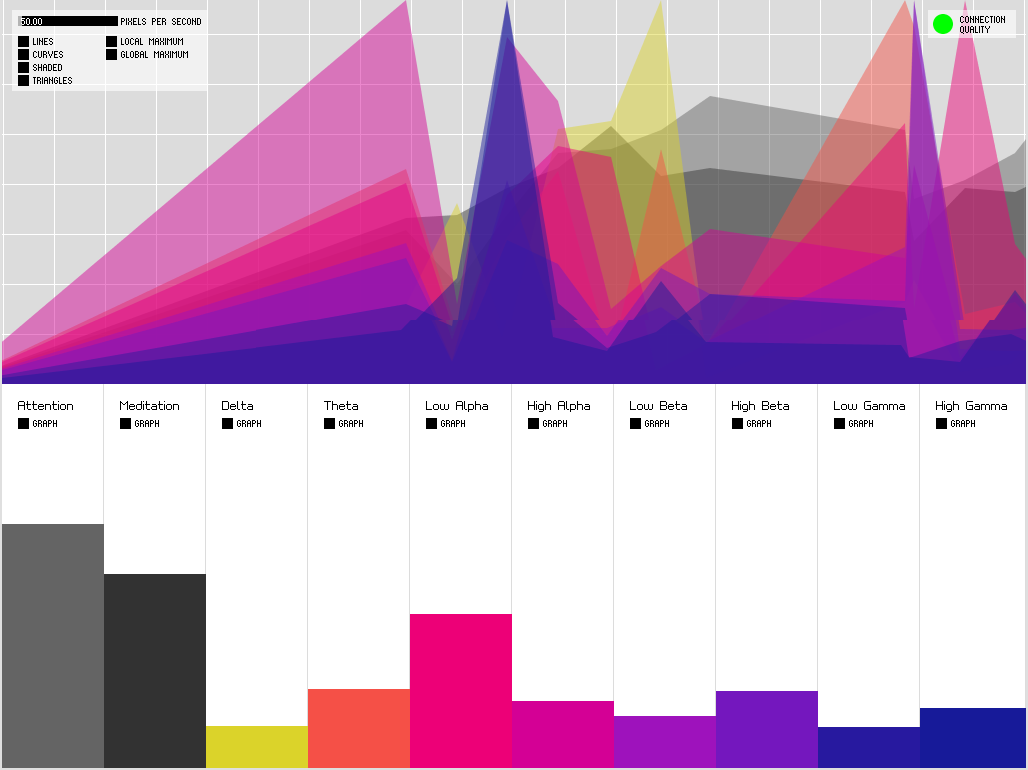
I recently purchased a Neurosky Windwave EEG device ($100
model). The Mindwave measures your brain’s electrical activity, and can detect your level of
focus (attention vs. mediation) and measure typical brainwave patterns (beta, alpha, theta, and
delta). There are a number games included, and a wide range of ones to download from their
appstore. I was surprised to see no immediate way to visualize or record the data coming from
the device. There is a project for Linux called
Puzzlebox that
emulates the Thinkgear connection protocol, however it seems to only support the Mindset (a more
expensive Neurosky device that communicates over Bluetooth rather than RF). There’s also a
project called OpenVibe that let’s you visualize
brainwave data (among other things), supports a number of other devices including Emotiv, however
again only supports the MindSet.
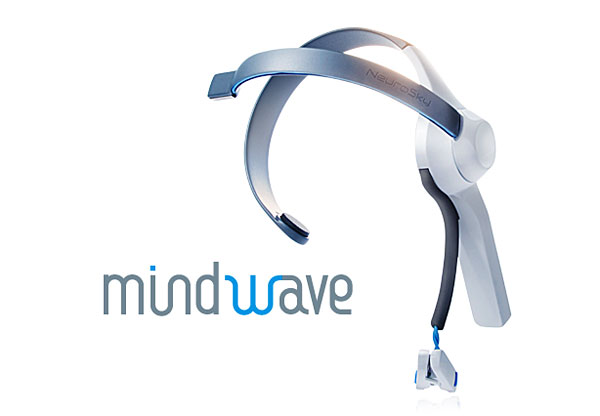
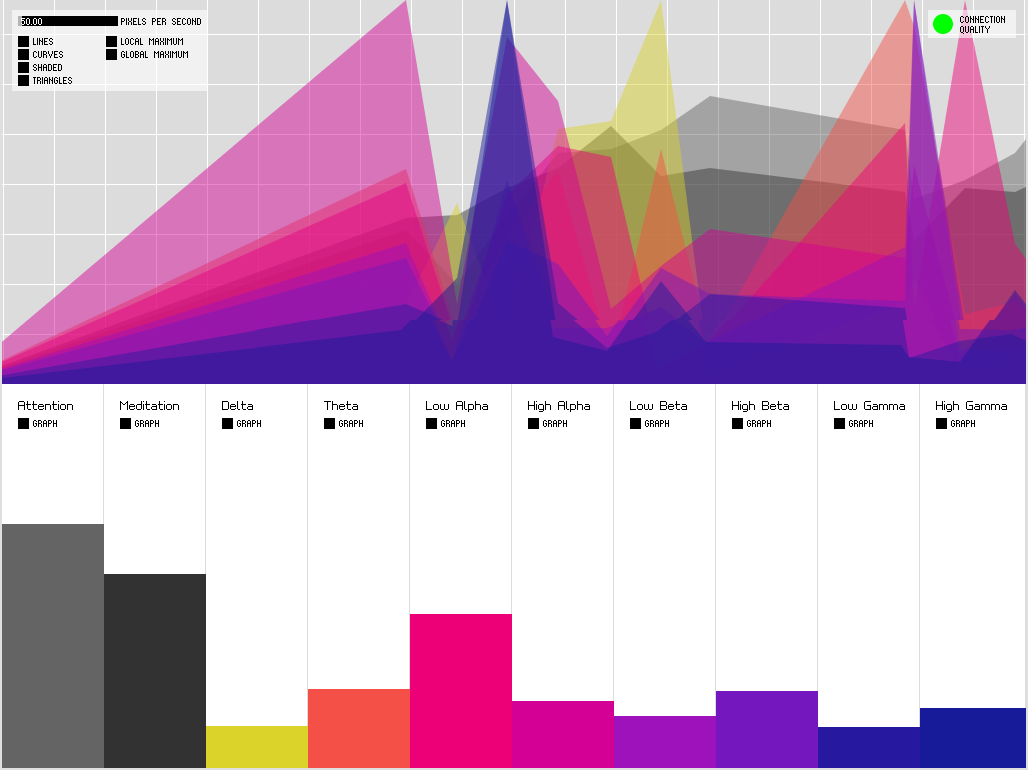
I stumbled across a VERY cool hack ‘How to Hack Toy EEGs‘. As much as I eventually want to tinker around with some soldering and Arduindo hacking, this was
a little more in depth with time permitting. The key takeaway from this article was a very
impressive Processing-based visualizer to grab data from the
custom serial interface and display in real-time. With relatively little work I was able to
fork the version of code and interface with the Mindwave using the official ThinkGear Socket
Protocol. I also generated builds for Windows, Linux, and Mac so anybody can download and
install. You can check this out at
https://github.com/ericblue/Processing-Brain-Grapher.
Here’s the README with some more in depth info:
[Overview]
After purchasing a Neurosky Mindwave EEG device, I was surprised to see limited apps for
viewing and visualizing EEG output (brainwave activity for delta, theta, alpha,
and beta waves). Upon discovering 'How to Hack Toy EEGs'
(http://frontiernerds.com/brain-hack), I was
inspired by the Processing visualization of the Arduino-based serial output.
I wanted to visualize the same set of data, however decided to obtain it using
Neurosky's published ThinkGear Socket Protocol
(http://developer.neurosky.com/docs/doku.php?id=thinkgear_connector_tgc).
This fork of kitschpatrol's original code differs in that it doesn't use the
Serial interface to obtain brainwave data.  Rather, it communicates via the ThinkGear
connector using the ThinkGear Socket Protocol and requests data in JSON format.
[MindWave/MindSet Communication]
By default the ThinkGear Connector allows applications to connect over TCP
(default 127.0.0.1:13854) and request data in either binary or JSON format.
This application will connect to the ThinkGear socket,
and read the streaming real-time data.  Format:
	{
	"eSense":
		{"attention":91,"meditation":41},
	 "eegPower":
	 	{"delta":1105014,"theta":211310,
	 	"lowAlpha":7730,"highAlpha":68568,
	 	"lowBeta":12949,"highBeta":47455,
	 	"lowGamma":55770,"highGamma":28247},
	 "poorSignalLevel":0
	 }
The default IP and port will be used, unless alternatives are specified as
environment variables (THINKGEAR_HOST and THINKGEAR_PORT).  Port forwarding can
be used on the host Windows or Mac computer to allow remote servers to connect.
To allow other hosts to connect and run Processing, run ReplayTCP
(http://www.dlcsistemas.com/html/relay_tcp.html) OR, use netcat (windows or mac)
to port forward (clients can now connect to port 13855).
Ex:  nc -l -p 13855 -c ' nc localhost 13854'
[Required Libaries]
The following required libraries are included:
- ControlP5
- JSON (See http://www.blprnt.com/processing/json.zip)
[Binaries]
Binaries were creating using Processing's app builder
(platforms = windows, mac & linux)
[Todo]
- Re-visit previous todo from original code
- Add ability to record data (CSV, etc.)
19 Responses
-
Eric Blue’s Blog » MindStream – NeuroSky EEG Data Streamer […] I last posted on the NeuroSky Brainwave Visualizer, I decided to write a simple app to “stream” brainwave/EEG data from NeuroSky devices […]
-
 martin
Hey, any chance this project will continue ? I would really be glad to have finally a tool, which could not only show me the recent frequency bands but also save the data, show me the average values, show me the whole session overview and maybe have it possible to compare one session with another (the goal of effective meditation is always to reach the deeper state of mind as effective and fast as possible). Neurosky is a great hardware tool with very little and most useless (or heavily overpriced) tools, but almost none can work with the data in a useful way. Thanks for your efforts tho, this simple visual is better than the stock brainwave visualizer.
-
nas
Totally agree with martin’s comment!!!
-
Eric Blue’s Blog » Jawbone UP API Discovery […] NeuroSky Brainwave Visualizer […]
-
Eric
just one of many awaiting on this project :o
-
Inesis
Hey, sir
Reallly thanxs for making this software and giving it for free 🙂
Now i can meditate and watch my relaxation levels 🙂
Wish you the best 🙂 -
EEG Video Test | & such & such […] is using Eric Blue’s Neurosky Brainwave Visualizer Add your comment 0 Responses to this post Add your […]
-
Neurosky MindWave and Processing » Magic & Love Interactive […] Blue has another Processing based visualizer using the […]
-
david familian
hi
great job. I need to output the sample data numbers. if there is a 50 samples a second that i get each sample with which category it is for. is this possible? -
Conor Russomanno
Hey guys,
I just landed on this post while doing my regular EEG/BCI research. Martin, I’ve actually been working on something that is closed to what you were talking about – storing/saving/comparing EEG with a mobile phone. Check out my post and see if you want to help out: http://conorrussomanno.wordpress.com/2012/06/19/interactive-android-application-for-eeg-biofeedback/
Conor -
Alisha
I just purchased the mindWave and am attempting to download this. I have windows 8. Maybe it is just me, but I cannot figure out how to get it to work. 🙁
-
Jason
Hey,
Are there directions on how to use this with Mac’s?
thanks -
ZzZzZzZzZzZzZzZzZzZzZzZz « Computers for the Rest of You […] fascinating, and the device is easy to use. The headset pairs well with Eric Blue’s incredible visualizer built in Processing (pic […]
-
Neurosky ThinkGear interface | Movement in Void […] Processing visualizer for Neurosky […]
-
Rudina
Hey Eric,
It seems like the app you developed would be great for the data I am trying to gather. I have a Mindwave Mobile and I am lost on how to install and use your app. Could you please give me some directions?
Rudina -
pierianspring
Hi Guys, anybody know exactly how to install mindstream, since I don’t know much about Java?
Thanks -
Damiaan van Vliet
Hello Eric,
Is it also possible to use data from the Zeo Sleep Manager to display information? Because myzeo.com not working anymore I am looking for a good alternative.
Thanks!-
ericblue76
Hi Damiaan,
It doesn’t currently but it shouldn’t be too difficult to make the necessary changes. Stay tuned in the coming weeks.
-
-
@hugobiwan
Hello from France.
Great work ! To make in work i installed processing .1.5. Now i can use my arduino without cutting a trace on the RF dongle.
What are the minimum and maximum values for attention, meditation, and the other channels ? It could help me to map them for arduino.
Best regards,
@hugobiwan
Comments are closed.